What if lawyers could find relevant case precedents through a conversation instead of hours of manual research?
Legal research is slow. Lawyers spend hours searching through databases, reading case summaries, and evaluating relevance. Grunt AI is a conversational legal research assistant that surfaces relevant Canadian case precedents, scores them by relevance, and lets lawyers organize findings by project.
Legal research takes too long and existing tools aren't built for how lawyers actually think.
Lawyers describe their case situation in natural language. Existing legal databases require keyword-based searches and return pages of unranked results. There's a gap between how lawyers think about a case and how they're forced to search for precedents.
Legal databases require specific search terms. Lawyers often don't know the right keywords until they've already found what they're looking for.
Databases return long lists of cases with no scoring. Evaluating relevance is manual and time-consuming.
Finding a case is only half the work. Lawyers still need to figure out which parts are relevant and how to apply them to their situation.
How might we let lawyers research caselaw the way they naturally think about it?
Built for lawyers doing case research.
The primary users are lawyers and paralegals who need to find relevant case precedents for active cases. They work across different jurisdictions, courts, and areas of law, often managing multiple cases at once.
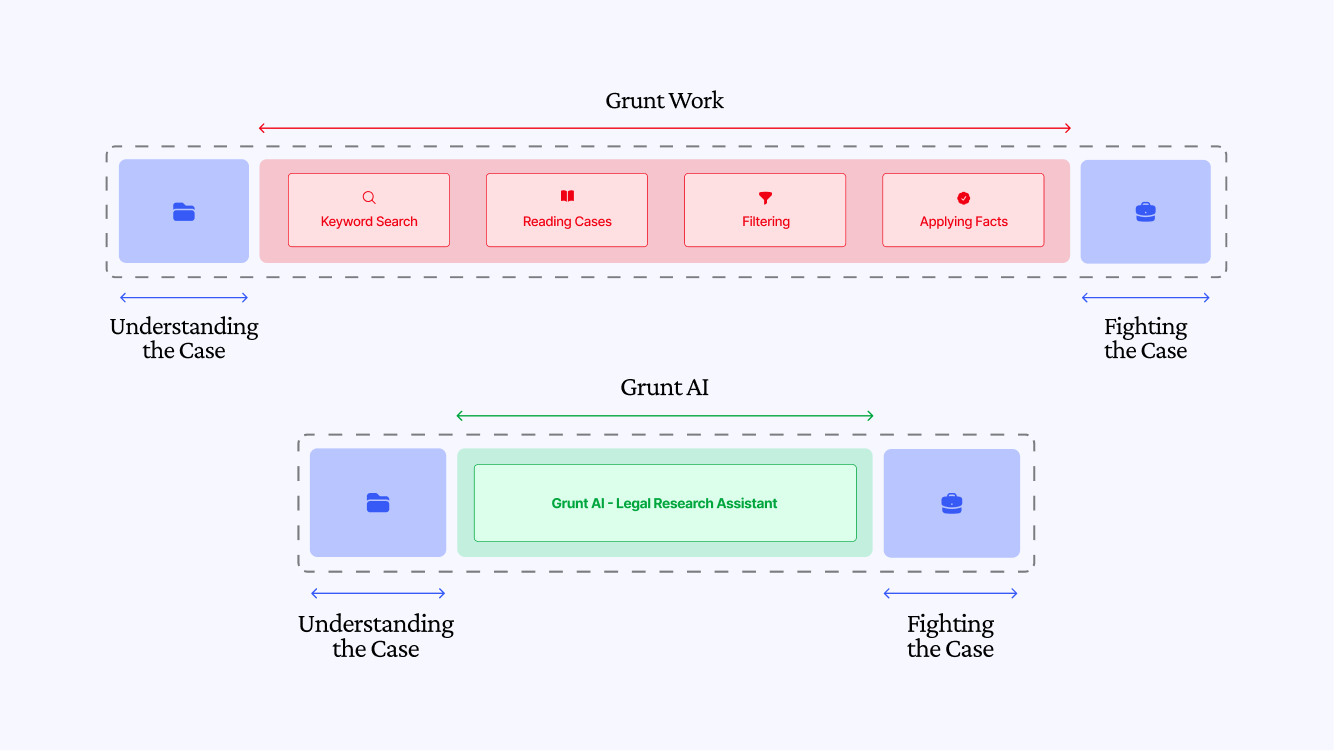
Lawyers already describe their situations in natural language when talking to colleagues. The research tool should work the same way.
The gap isn't capability, it's interface. Lawyers know how to reason about cases. The tool should meet them where they are, not force them to learn a new search syntax.
Chat-first, but with structure underneath.
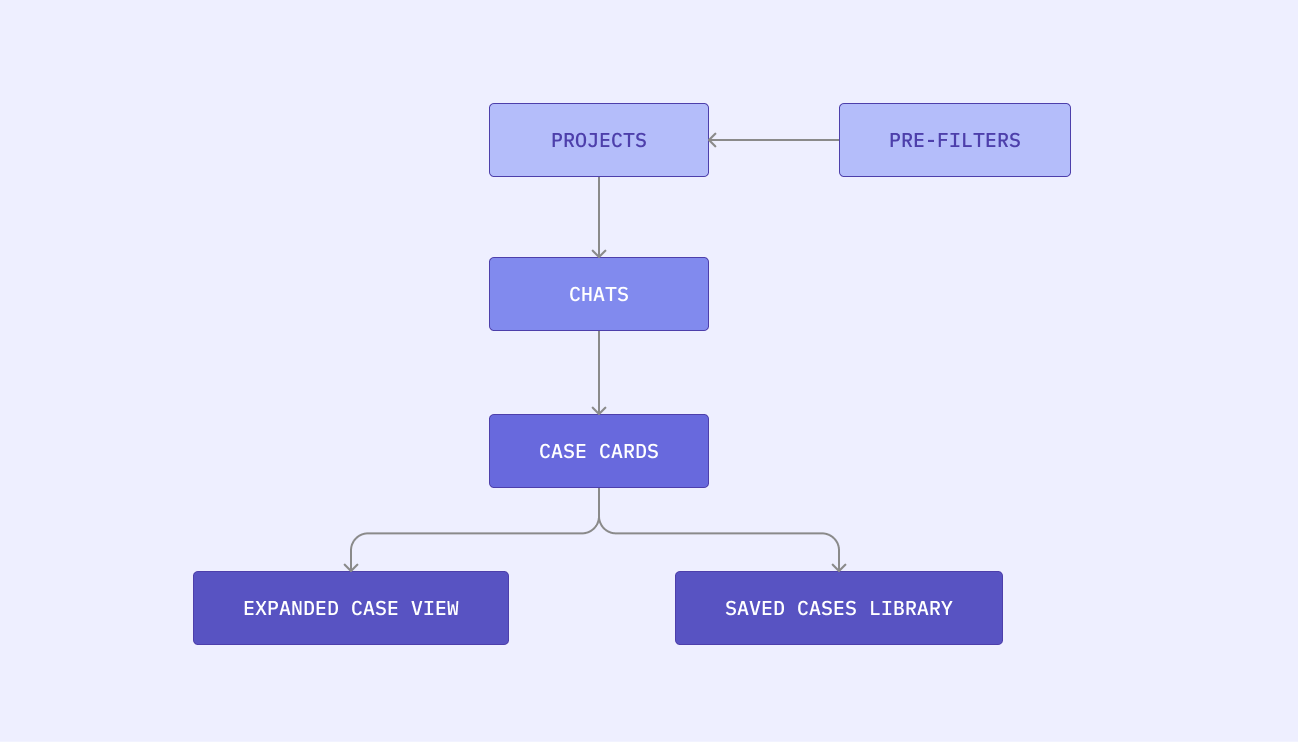
The core interaction is conversational: lawyers describe their situation, the AI returns cases. But conversations alone aren't enough. Lawyers need to organize findings across multiple active cases, filter by jurisdiction, and save relevant precedents.
The architecture is built around three concepts: Projects (tied to a case and jurisdiction), Chats (individual research threads with pre-filters), and Saved Cases (a persistent library per project).
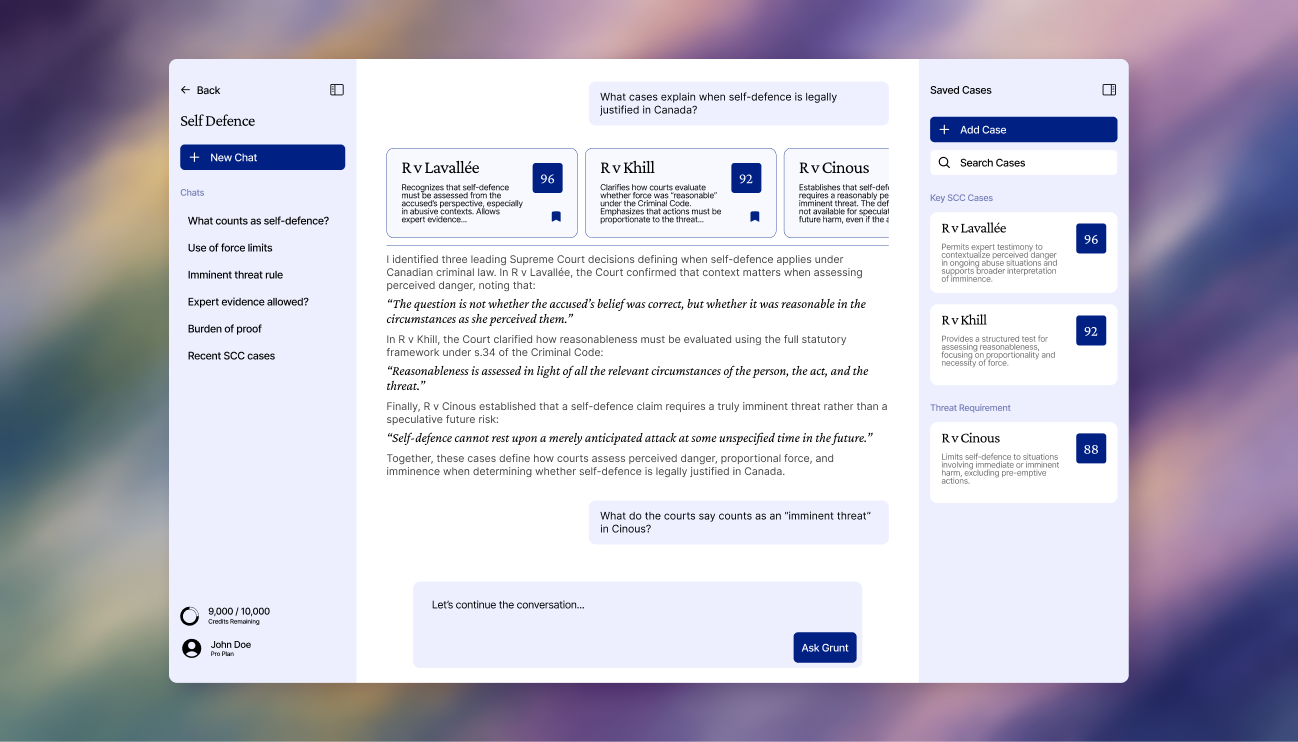
The layout uses a three-panel structure: left sidebar for project navigation, center panel for the chat, right panel for saved cases. Both sidebars are collapsible. The home screen uses a simpler full-bleed layout with a project folder grid.
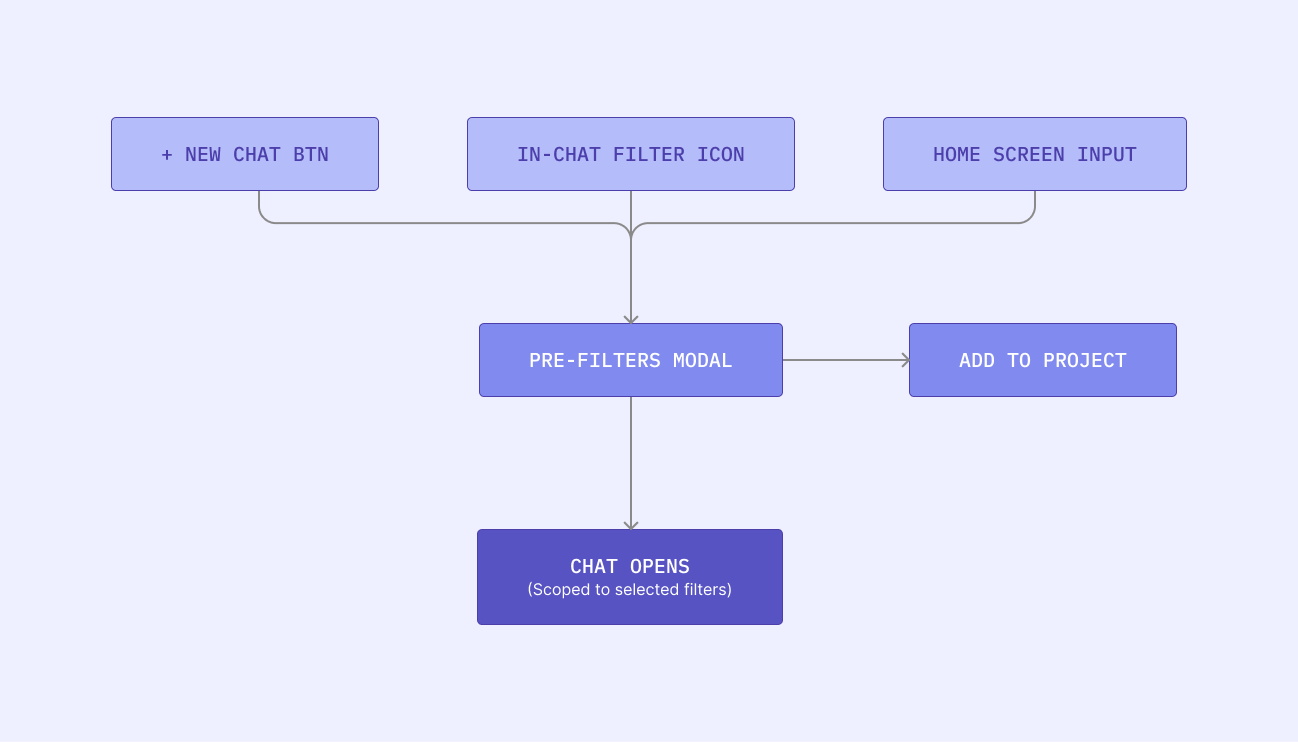
Every new chat starts with a filter step: court jurisdiction, jurisdictions to search, and area of law. If starting from within a project, jurisdiction is pre-filled. Filters can also be updated mid-conversation.
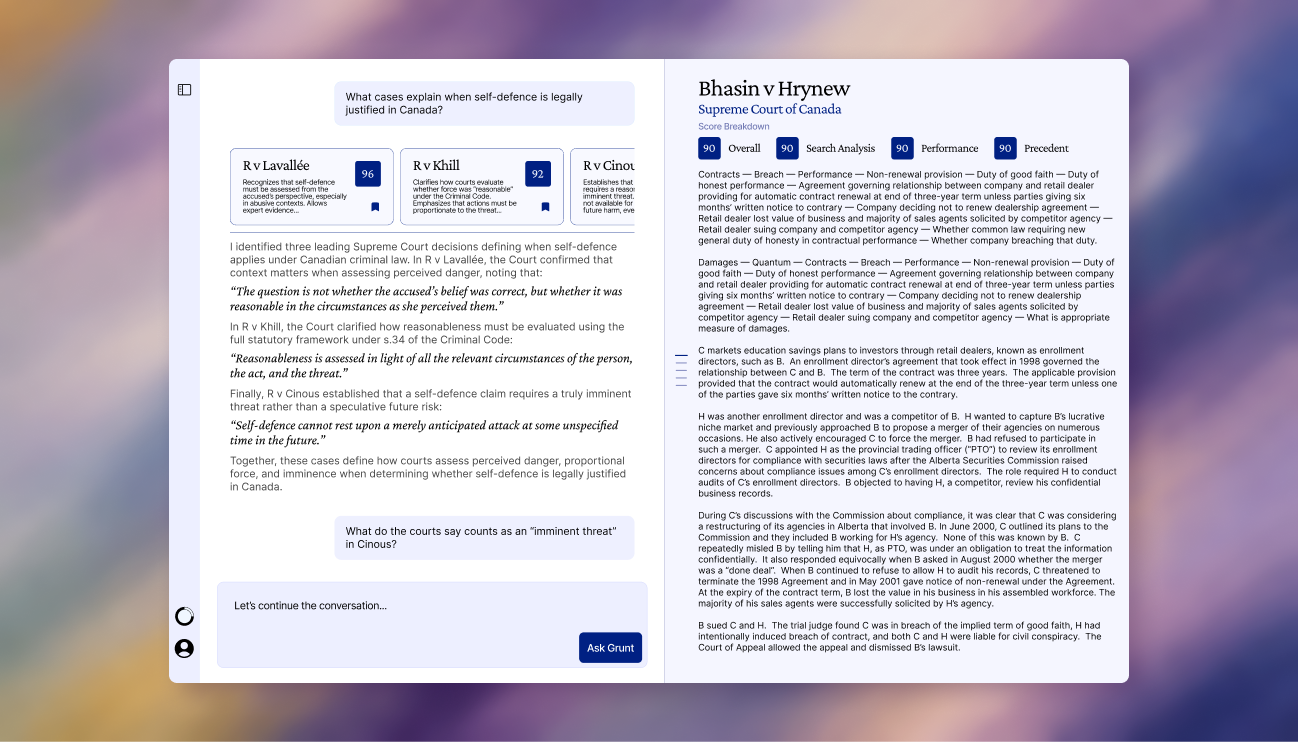
When the AI returns cases, they appear as horizontally scrollable cards inline in the chat. Each card shows the case name, summary, and a relevance score broken down by relevance, precedent strength, recency, and authority.
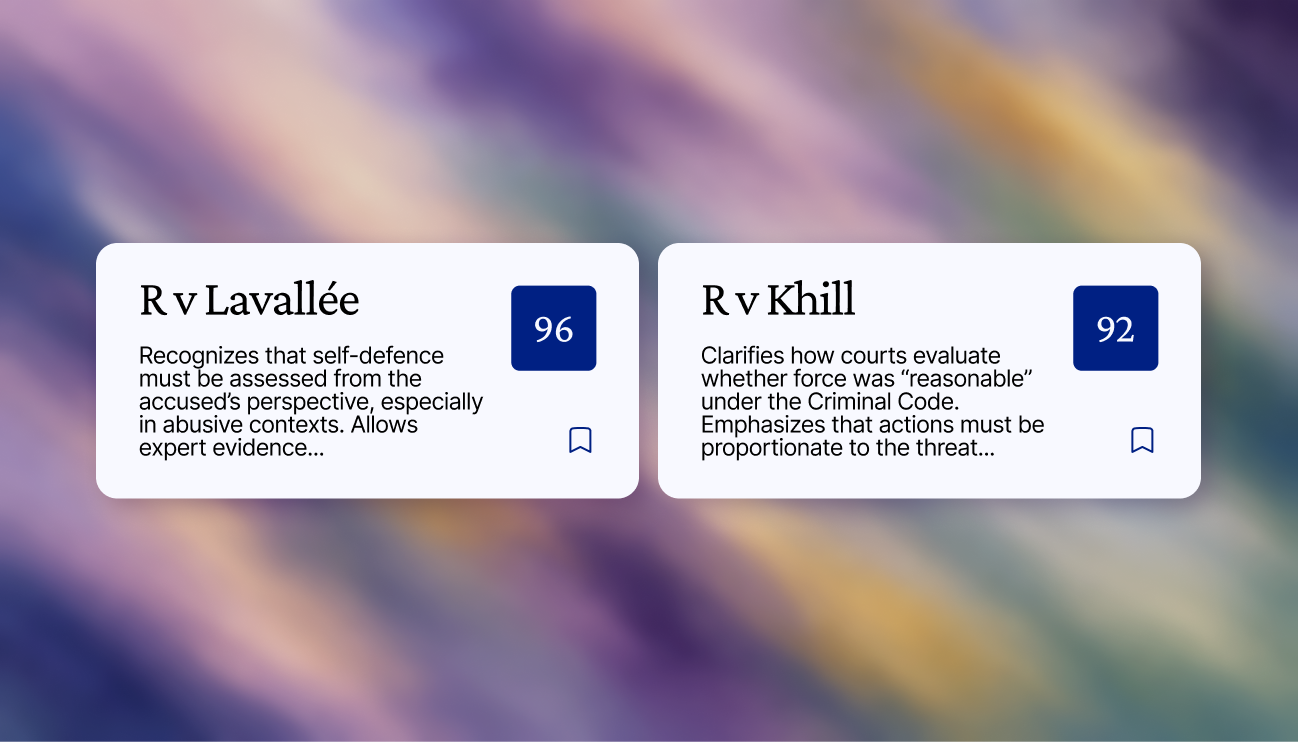
The AI doesn't just find cases. It tells you how to use them. Responses include quoted excerpts from the case file relevant to your situation. Expanding a case opens a split-panel layout: chat on the left, full case file on the right. Clicking a highlighted quote scrolls the case file to that exact passage.
Lawyers work on multiple cases at once. Projects group related chats and saved cases under one roof.
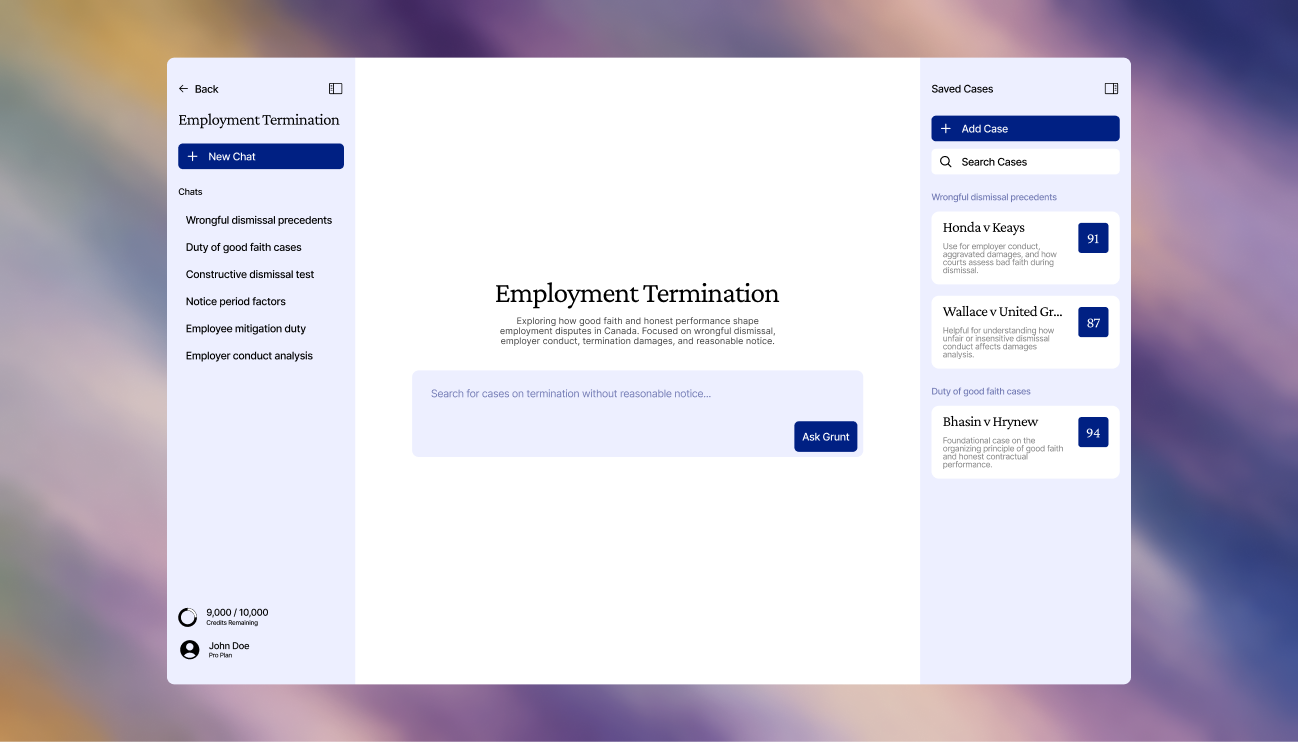
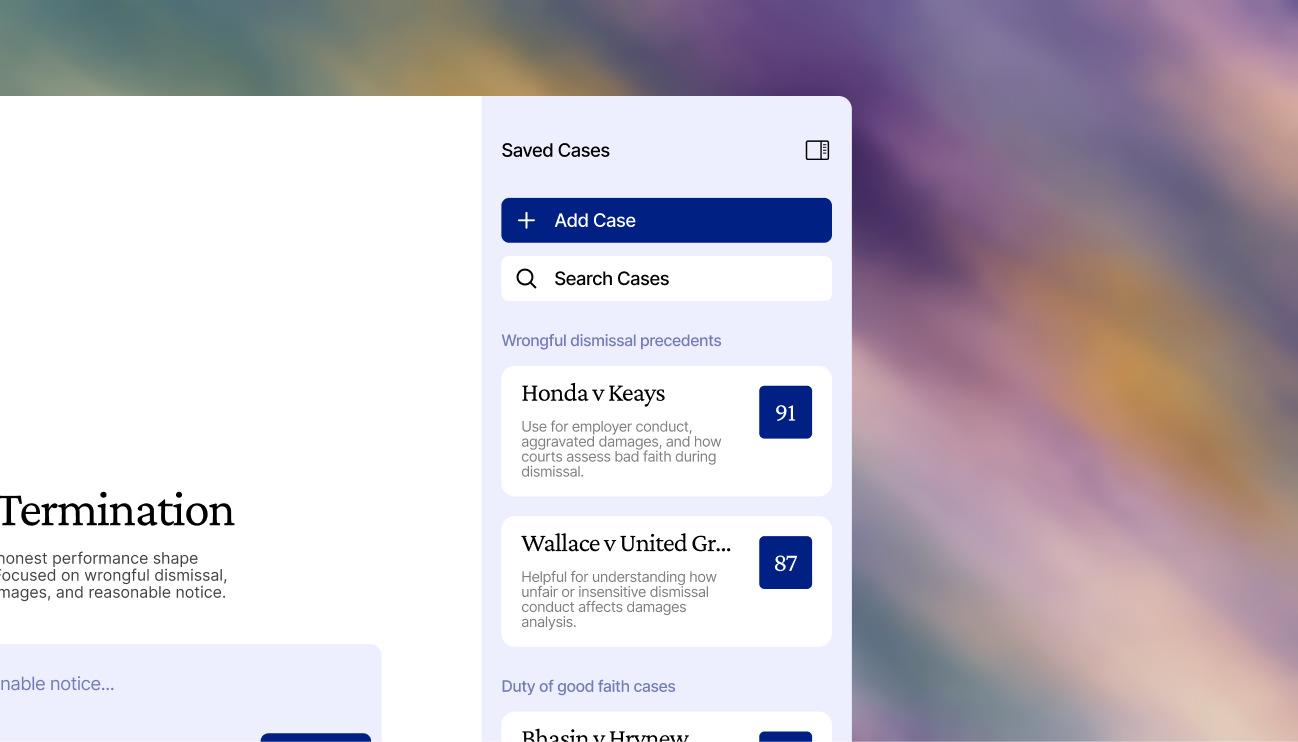
Cases saved from chat results appear in the right panel, grouped by the chat they came from. Lawyers can search and browse saved cases across all chats in a project.
Find cases, understand how to use them, and organize everything by project.
Grunt AI is designed around the way lawyers actually work: describing situations conversationally, evaluating relevance quickly, and managing research across multiple active cases.
Describe your legal situation in plain language and get relevant case precedents back.
Each case is scored on relevance, precedent strength, recency, and authority.
Quoted excerpts link directly to passages in the case file so you know exactly how to use what you found.
Build a persistent library of saved cases per project across all your research threads.
The design system is inspired by shadcn/ui's component patterns, with all components built from scratch. Typography pairs Crimson Pro for headings with Inter for body text and UI elements.
What I learned
The conversation is the entry point, but lawyers need structure around it: projects, filters, saved cases. The chat alone isn't enough without the organizational layer.
Owning both the UI design and frontend development meant I could make design decisions informed by what was actually feasible to build, and catch usability issues during implementation.